
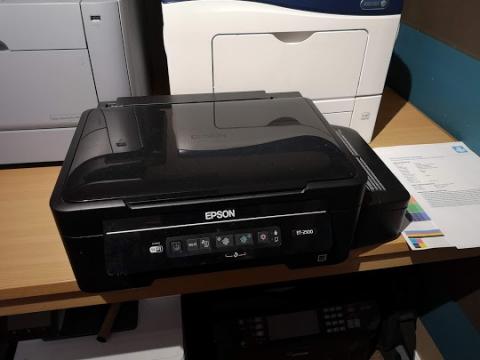
Epson EcoTank ET-2500: Resolving the "Waste Ink Pads End of Life" Error
The Epson EcoTank ET-2500 is an excellent, cost-effective inkjet printer, but eventually, all heavy-use models hit a built-in maintenance threshold. If your machine has stopped printing and flashes an error stating that the "waste ink pads are at the end of their service life," you do not need to buy a new machine.
We recently serviced an Epson ET-2500 with this exact issue. By swapping out the physical absorption pads and performing a digital counter reset, we saved this printer from the landfill and restored it to factory-ready printing performance.
What is the Waste Ink Pad Error?
During normal operation, head cleanings, and initial setups, Epson printers purge excess ink into internal foam pads. To prevent ink from leaking onto your desk, a digital safety counter stops the printer once it estimates the pads are full.
Shared Components Across Models
The internal engineering of these ink systems is highly standardized. The identical replacement waste ink pads and reset procedures used for the ET-2500 also apply to a wide range of similar Epson models, including:
-
EcoTank Series: ET-2550, L120, L455, L456
-
Stylus & Expression Series: TX235W, TX430W, SX230, SX235W, SX430W, SX435W, SX440W, SX445W, XP300, XP302, XP303, XP305, XP306, XP312
Quick, Sustainable Inkjet Repairs in Yorkshire
Do not throw away your printer over a digital lock. Our professional engineer workshop safely removes the saturated ink material, sanitizes the chassis, installs fresh high-grade absorption media, and recalibrates your mainboard logic system.
-
Landline Office: 0113 229 6770
-
Mobile Engineer Line: 07951 951 330
-
Email Support: [email protected]
-
Drop-off Address: Yorkshire Office Machines, 35 Swinnow Green, Pudsey, Leeds, West Yorkshire, LS28 9AW