
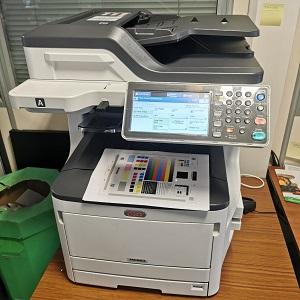
# Oki MC853 Laser Printer Repair: Cyan Drum Error 172 Fixed
The OKI MC853 is an exceptional A3 colour multifunction LED/laser printer, highly valued by fast-paced workgroups across West Yorkshire for its robust performance and sharp print quality. However, complex print mechanisms can occasionally run into mechanical faults.
We were recently called out to service an OKI MC853 laser printer that had ground to a halt with an onscreen "Cyan Drum Error 172" warning. Alongside the error message, the machine was making an alarming, highly noticeable grinding noise from inside the chassis whenever it attempted to initialize a print cycle.
## Diagnosing the Grinding Noise & Error 172
An OKI Error 172 specifically points to a problem with the printer detecting or driving the cyan image drum. When our independent engineer inspected the machine, the source of the trouble was immediately obvious.
The internal gears on the cyan drum unit had completely worn down and failed, causing them to slip out of alignment. Instead of cleanly rotating the drum to transfer toner, the drive motor was stripping the plastic teeth, resulting in a loud grinding noise and triggering the safety error code.
When a drum unit starts grinding or locks up mechanically, it risks putting unnecessary strain on the printer’s main internal drive motors. Prompt attention is vital to prevent a simple consumable swap from turning into a major mechanical failure.
## The Solution: A Fresh Drum Unit Replacement
Thankfully, resolving this issue is a clean and straightforward process. At Yorkshire Office Machines, we sourced a high-quality replacement cyan drum unit. Our technician carefully extracted the faulty, grinding module, thoroughly cleaned any loose toner dust from the internal compartment, and seated the new drum assembly.
As soon as the new unit clicked into place, the OKI MC853 initialised perfectly—quietly running through its setup checks with absolutely no grinding noises. A series of test prints confirmed that the Cyan Error 172 was fully cleared, and the printer was back to producing flawless, crisp colour documents.
If your OKI MC853 or similar OKI LED printer is throwing a Drum Error (such as 171, 172, 173, or 174) or making loud clicking and grinding noises during use, it is a clear sign that one of your image drums is failing mechanically.
## Fast OKI Printer Servicing in Leeds, Bradford, & Yorkshire
With over 36 years of direct experience repairing and servicing OKI office hardware, Yorkshire Office Machines provides rapid, dependable mobile repairs directly to your office.
Don't let a grinding printer disrupt your workspace. Give our team a call today on 0113 229 6770 or text our engineer directly on 07951 951 330 to book a fast on-site repair. Local businesses are also welcome to schedule a time to drop off portable office equipment directly at our Pudsey workshop to save on engineer call-out fees!