
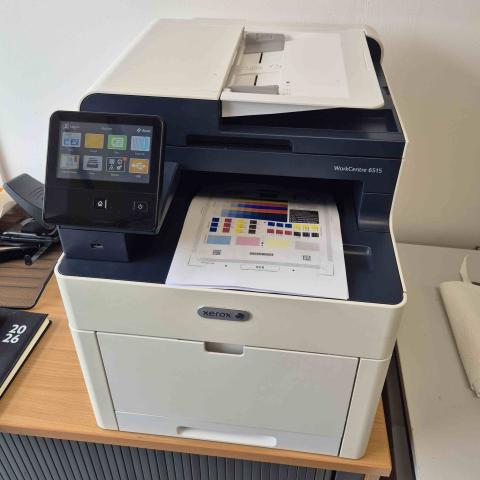
Xerox WorkCentre 6515: Fuser Unit Replacement Due to Ripped Film
The Xerox WorkCentre 6515 is a reliable, high-performance color multifunction printer designed for busy workgroups. However, a single severe paper jam can cause catastrophic physical damage to its delicate internal components.
We recently handled a workshop repair for a client whose Xerox 6515 suddenly stopped printing clear pages. Our diagnostic inspection revealed that a bad paper jam had completely ripped the internal fuser belt film.
The Diagnostic: Ripped Fuser Film
When a heavy paper jam occurs, users often try to clear the stuck sheets by forcefully pulling the paper backwards through the machine. If the paper wraps around the heat roller, this force can easily tear the delicate Teflon fuser sleeve or film.
Once the fuser film is ripped, the printer will exhibit distinct symptoms:
-
Smudged, blurry text that rubs off the page easily (caused by incomplete heat bonding).
-
Repetitive black marks or plastic fragments appearing on printouts.
-
Persistent paper jams inside the rear door area as pages catch on the torn film.
-
Error codes on the control panel indicating a fuser heating failure.
The Repair Solution: Full Fuser Unit Replacement
Because the fuser film itself is integrated tightly into the heating element assembly, replacing the individual torn film on-site is not a reliable long-term fix. To restore factory-grade performance and reliability, our engineer replaced the entire physical fuser assembly.
Once the new OEM fuser unit was installed and the system was recalibrated, the printer passed all image quality checks with crisp, sharp text and perfectly bonded color toner.
Pro Tip: How to Prevent Fuser Film Tears
To protect your office printer from this expensive hardware failure, always follow these rules during a jam:
-
Never pull paper forcefully against the natural direction of the paper path.
-
Open all access doors completely to release tension on the rollers before removing stuck sheets.
-
Never use sharp tools like scissors, knives, or tweezers to pick out stuck paper scraps, as they instantly slice the fuser film.
Emergency Xerox Printer Repair Service in West Yorkshire
If your Xerox WorkCentre 6515 is making unusual grinding noises, jamming constantly, or printing smudged pages, our local engineers are here to help. We stock and install genuine Xerox replacement parts across Leeds, Bradford, and the wider Yorkshire region to minimize your office downtime.
-
Local Office Line: 0113 229 6770
-
Mobile Engineer Dispatch: 07951 951 330
-
Email Support: [email protected]
-
Our Service Center: Yorkshire Office Machines, 35 Swinnow Green, Pudsey, Leeds, LS28 9AW