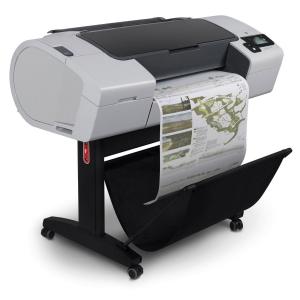
# HP DesignJet Plotter Common Error Codes & Faults Fixed
HP DesignJet plotters are the absolute backbone of architectural practices, engineering firms, and design studios across West Yorkshire. However, due to the complex mechanical systems required for wide-format printing, heavy daily use will eventually trigger technical fault codes.
When your large-format printer encounters a system failure, it will display a specific numerical error code on the front panel. Understanding what these codes mean can help you determine the severity of the fault and get your machine back to printing blueprints and graphics quickly.
## Common HP DesignJet System Error Codes Explained
Our independent engineering team has over 36 years of direct experience troubleshooting large-format hardware. Below is a diagnostic breakdown of the most common HP plotter error codes we resolve on-site in Leeds and Bradford:
* **Error 11:11 (Trailing Cable Failure):** The flexible ribbon cable that connects the main electronic board to the moving carriage has lost connection or worn out. This requires a replacement cable to restore data transfer.
* **Error 12:11 (Carriage Assembly Failure):** The printer is detecting an issue with the printhead carriage assembly, often caused by electronic glitches, dirty encoder strips, or internal circuits failing.
* **Error 21:10 (Service Station Failure):** The internal service station—responsible for capping, cleaning, and wiping the printheads—is jammed, blocked with dried ink, or suffering from a motor failure.
* **Error 22:10 (Ink Supply Station Failure):** The mechanism that pumps ink from the cartridges to the printheads is malfunctioning or failing to detect correct pressure levels.
* **Error 41:10 (Paper Axis Motor Failure):** The main motor responsible for feeding, advancing, and rolling the heavy paper rolls through the plotter is jammed or broken.
* **Error 42:10 (Scan Axis Motor Failure):** The drive motor that moves the printhead carriage sideways across the scan line is pulling too much electrical current, usually caused by lack of lubrication or a worn carriage belt.
* **Error 86:01 (Carriage Axis Shutdown / Jam):** One of the most frequent errors. The carriage is physically restricted from moving freely. This is typically caused by a frayed carriage belt, debris in the track, or a damaged encoder strip.
* **Errors 61:04, 72:04 & 79:04 (Firmware & Data Failures):** The plotter has experienced a severe software crash or communication error while processing a complex print file. This often requires clearing the print queue, updating firmware, or inspecting the hard drive.
* **Error 71:06 (Out of Memory):** The print file sent from your computer is too large or complex for the plotter's onboard RAM.
* **Error 93:10 (Ink Start-Up Failure):** The system cannot successfully prime the ink delivery tubes during startup initialization.
## Fast On-Site HP DesignJet Plotter Repairs in West Yorkshire
Wide-format plotters are bulky and complex, which is why our mobile technicians come directly to your office. We carry high-quality replacement parts, including genuine HP carriage belts, trailing cables, and service stations, to resolve your system breakdown in a single visit.
Don't let a cryptic error code stall your project deadlines. Give our Pudsey workshop a call today on **0113 229 6770** or message our mobile engineer directly on **07951 951 330** to book an expert on-site repair.